
Draw something big on your bike
A runner's GPS art is often a 10 km doodle. On a bike, 40 km is a normal Sunday ride, and that changes everything: your shape can span whole neighborhoods and carry detail a short run can't fit. Plenty of the best-known Strava art is ridden for exactly that reason. Stephen Lund draws his by bike across Victoria, Canada.
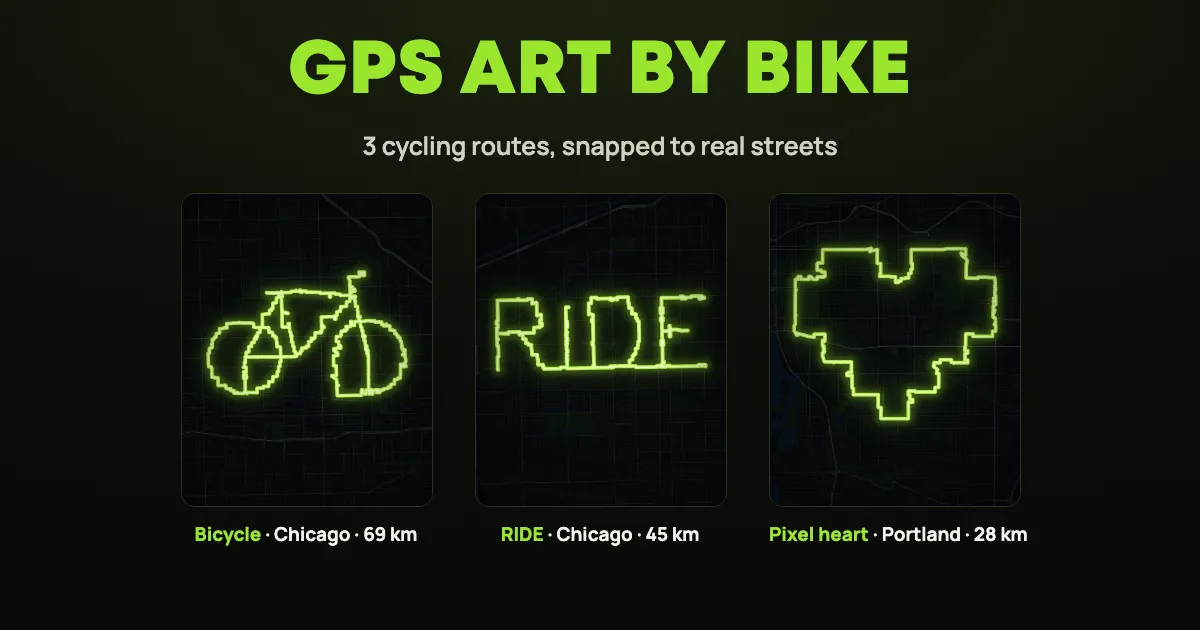
We planned three cycling routes in RouteSketcher, snapped each one to real streets and made them public. Ride one, or clone it onto your own city.
Three routes to ride
The distances below are the snapped routes, the ones you actually ride. Each route's page shows the distance as drawn, which is shorter.
🚲 Bicycle, Chicago (68.5 km)
A bicycle drawn on a bicycle, across Chicago's West Side from Austin to Humboldt Park. The back wheel touches Oak Park, the handlebars sit in Hermosa. Drawn it's 48.9 km, and the street grid turns every curve into small steps, which adds the rest.
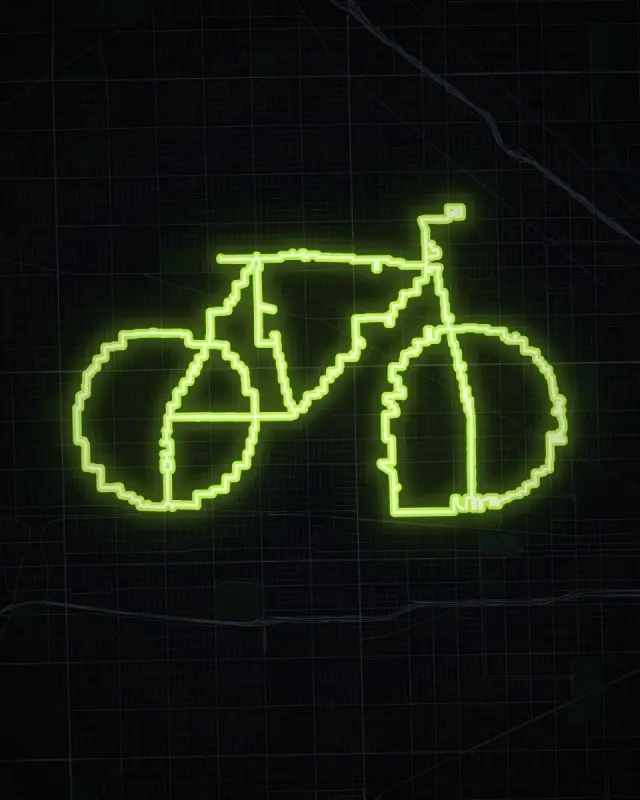
Look closely at the front wheel: its left half snapped onto one long street, so it's more of a D than an O. Drawing that wheel a bit bigger, or a block over, would round it off. That's the kind of thing to check before you ride.
✍️ RIDE, Chicago (44.9 km)
The word RIDE across the South Side, from West Elsdon to Back of the Yards, between 47th and 59th Street. Made with Text to Sketch: type a word, place it on the map, done.
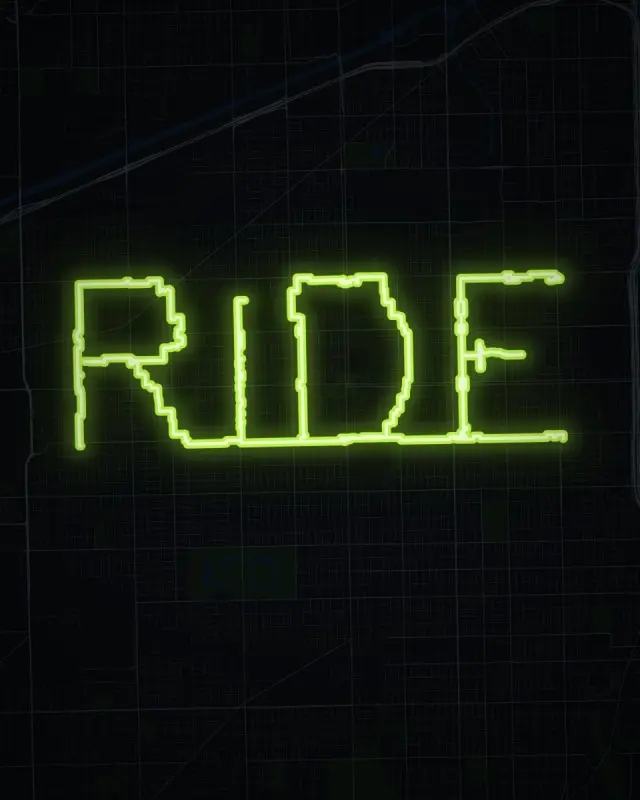
The trick with letters: the top and bottom of every letter should sit right on a street. If an edge lands between two streets, the route zigzags between them. Move or resize the text with the handles until the edges line up. Our tops run along 47th Street and the bottoms along 59th.
❤️ Pixel heart, Portland (27.9 km)
An 8-bit heart in Southeast Portland, from SE 12th to 82nd Avenue and from Burnside down to Woodstock. Mount Tabor sits inside the right half. It's the shortest of the three and a nice first ride.
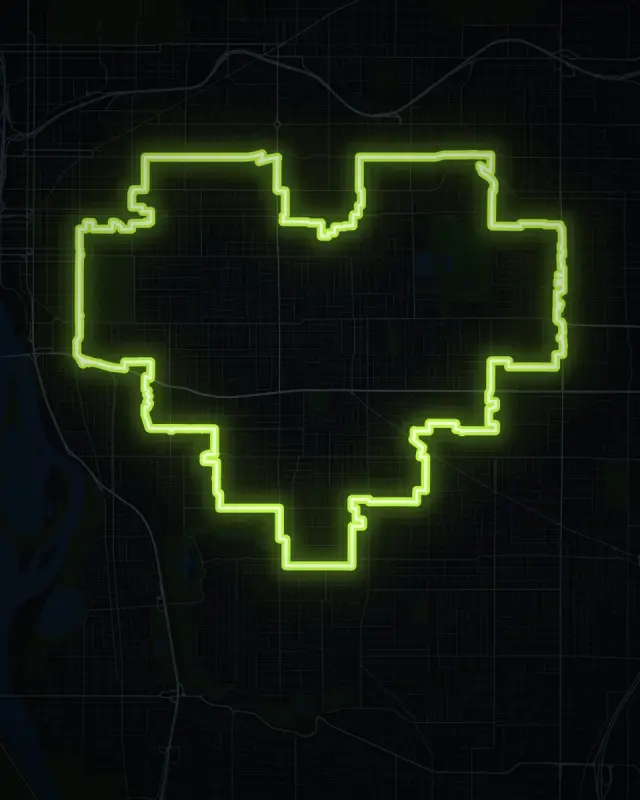
Why pixels? We tried a round heart first, in Amsterdam and in Paris. On streets that curve and cross at every angle, the snapped line zigzagged almost the whole way round. Made of straight lines on a grid, the heart comes out crisp.
To ride one in your own city, open it and hit Clone Sketch (you need to be logged in), then move it to your streets. All three are also in the GPS Art Directory.
Plan your own
1. Tell the editor you ride
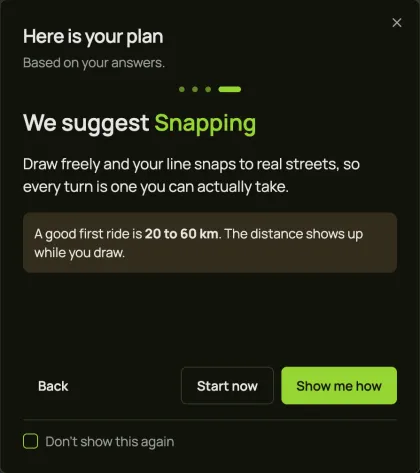
Open the editor. The setup questions ask how you'll do it: pick Bike, and the plan at the end suggests a good first ride of 20 to 60 km.
2. Pick your streets
Look for a neighborhood with a street grid and quiet roads. Grids give straight lines, and straight lines read best on Strava. That's why cities like Chicago, Portland, Denver, Salt Lake City and Barcelona make such good canvases.
3. Get a shape
Draw it with Freehand Snapping, pick one of hundreds of shapes from the GPS Art Directory, describe one to the AI Doodle Generator, or write a word with Text to Sketch. Then zoom out: on a bike you can make it two or three times bigger than a running shape.
4. Watch the snapped distance
While you draw, the box at the top shows Estimated distance (your line) and Estimated snapped (the route on the streets). Plan by the snapped one. Routes can go up to 600 km, so even a century ride fits.
5. Check every segment
RouteSketcher uses one street network for runners, walkers and riders. That means the snapped line can use footpaths and park paths as well as roads. Zoom in and follow the whole route before you go:
- Footpaths and parks: some don't allow bikes. Move that part of the shape a block over.
- Busy roads: a straight edge often lands on a main road. The Portland heart's right side runs along 82nd Avenue, which is busy. Shift the shape a block in if you'd rather ride a quiet street.
- One-way streets: the line doesn't know the direction of traffic, so check those too.
6. Load it on your bike computer
Save the sketch, then Download → Download Snapped GPX.
- Garmin Edge: import the GPX in Garmin Connect as a course and send it to your device. The steps are the same as in our Garmin guide.
- Wahoo, Hammerhead and others: most bike computers import a GPX route through their phone app, or sync it from Komoot.
The GPX is the line itself, without turn instructions. On a GPS art ride that's what you want: keep the map screen up and follow the line.
Tips for the ride
- Stop to look. Check your screen at a red light or pull over, not mid-junction.
- Mind Strava's map visibility. If you've set Strava to hide the start and end of your activities, that part of the drawing goes missing on the map. Start the shape away from home, or change the setting for this ride.
- Out-and-back bits are fine. The bicycle's handlebars or the middle bar of the E are a short ride in and back out on the same street. On the map it disappears into the art.
- Lights and daylight. Big shapes take hours. Start early and bring lights in case you're still drawing at dusk.
Frequently Asked Questions
How long should a GPS art bike route be?
20 to 60 km is a good first one. The pixel heart above is 28 km, RIDE is 45 km and the bicycle is 69 km.
Can RouteSketcher plan a normal cycling route?
It can draw one and give you the GPX, see how to draw a route on a map. It doesn't have a bike routing profile, turn-by-turn directions or elevation, so for everyday ride planning a tool like Komoot is the better fit.
Can I put these routes on my own city?
Yes. Open any of them, hit Clone Sketch, and move or resize it until the snapped line looks right on your streets.
New to GPS art? Start with the Strava art guide. Happy riding! 🚴