
Run something spooky this year
Halloween is the one week a year when a ghost on your Strava feed makes perfect sense. 👻 So we drew five spooky shapes, snapped every one of them to real streets, and made them public. Run one where it is, or clone it onto your own neighborhood in a couple of clicks.
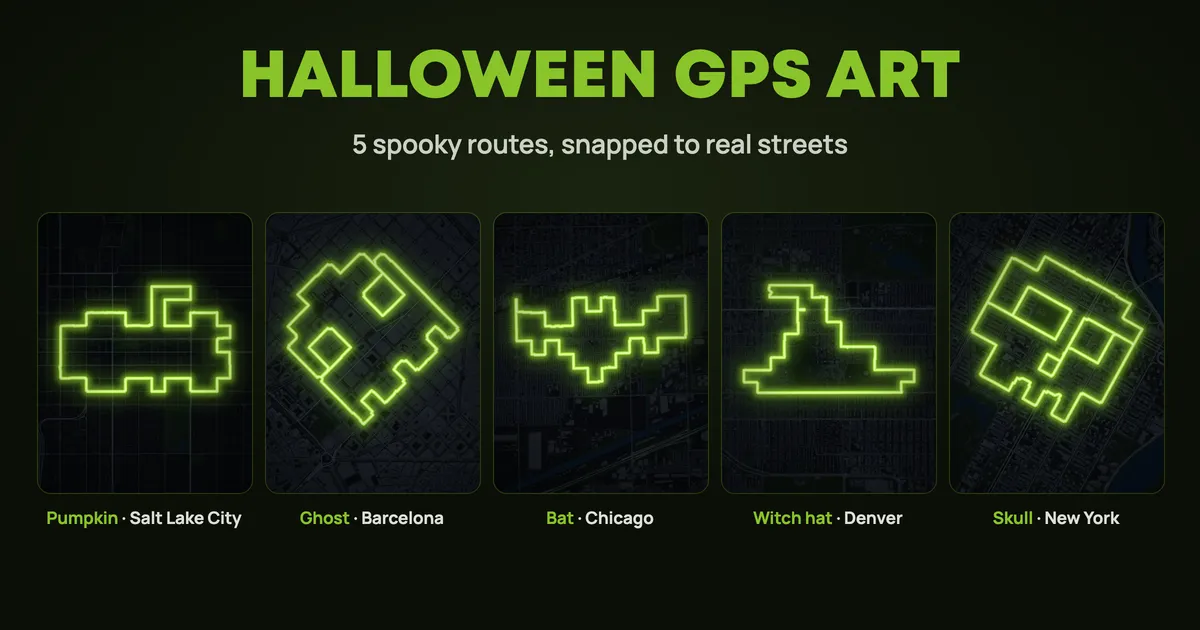
The five routes
Every line below runs along a real street, start to finish, and ends where it started.
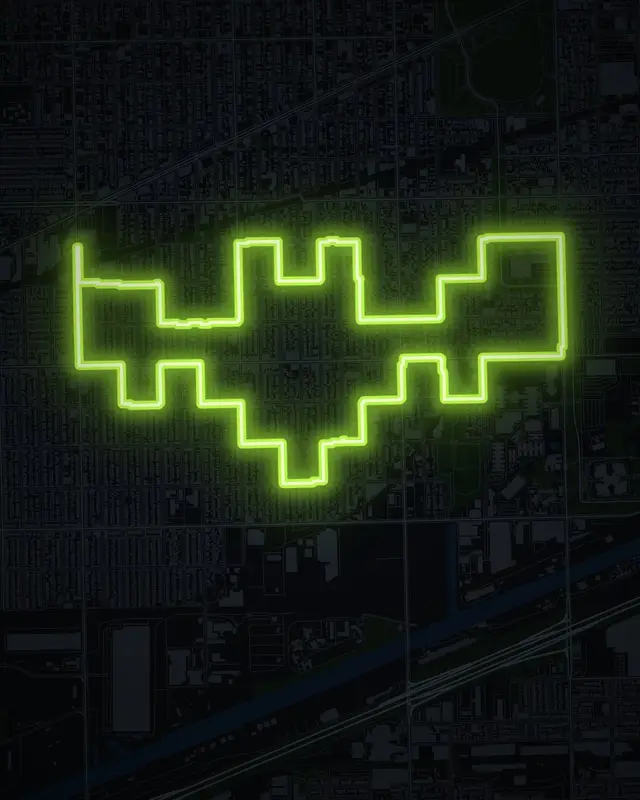
🦇 Bat, Chicago (10.2 km)
Chicago's grid is made for this. The bat spreads its wings over Little Village, from Pulaski Road to California Avenue and from 23rd to 30th Street.
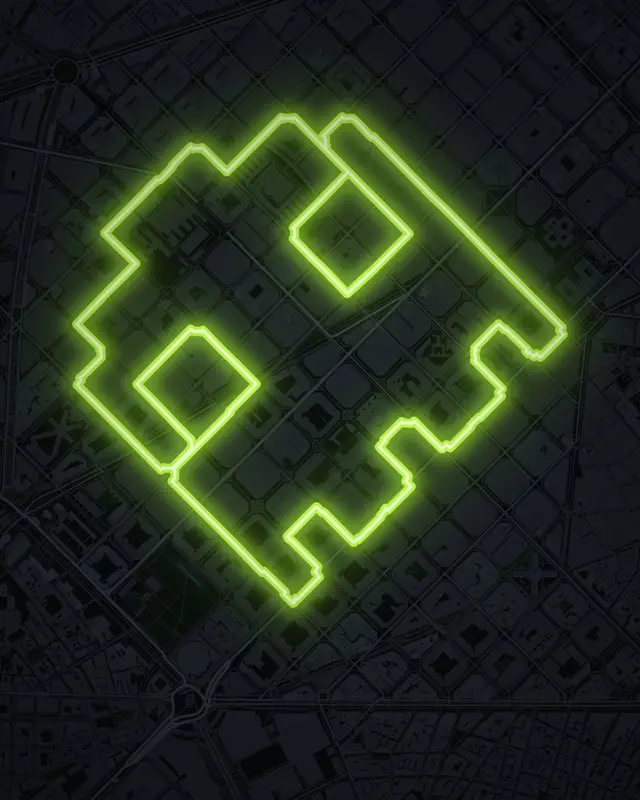
👻 Ghost, Barcelona (8.5 km)
An arcade-style ghost in the Eixample, between Carrer d'Entença and Carrer d'Aribau. The grid there runs at 45 degrees, so the ghost floats in sideways, which suits a ghost.
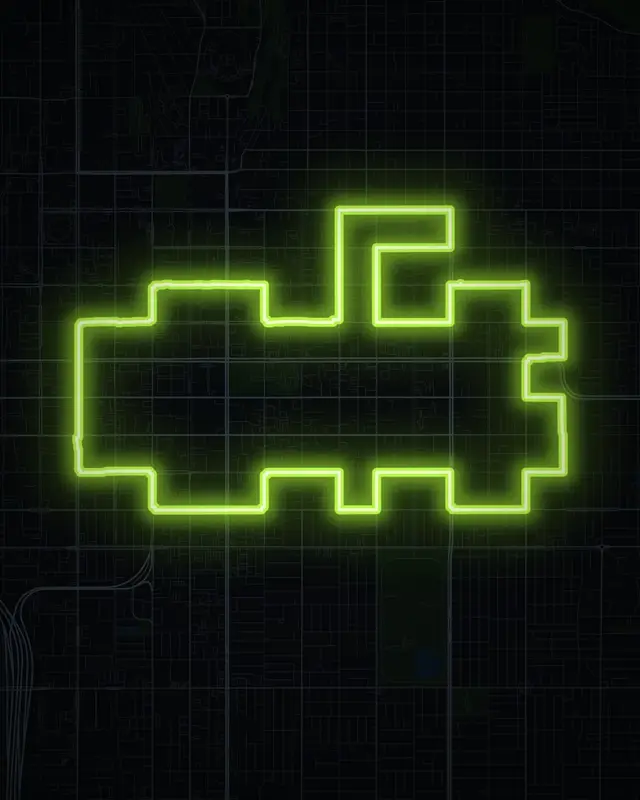
🎃 Pumpkin, Salt Lake City (13.6 km)
Salt Lake City's blocks are huge, so this is the long one. A fat pumpkin with a curly stem, from South Temple to 800 South.
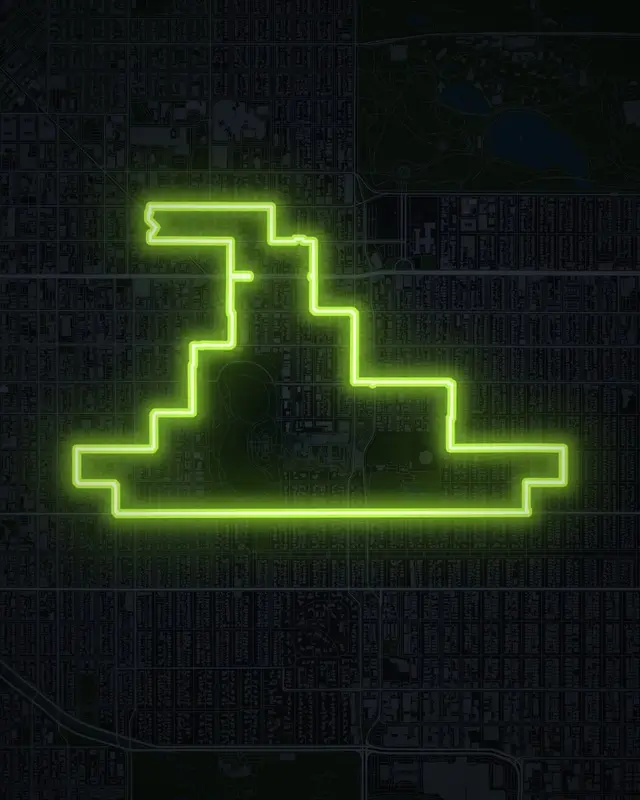
🧙 Witch hat, Denver (9.3 km)
A pointy hat with a bent tip and a wide brim, east of downtown Denver between 8th and 17th Avenue. The cone is a staircase of blocks, the brim is one long straight street.
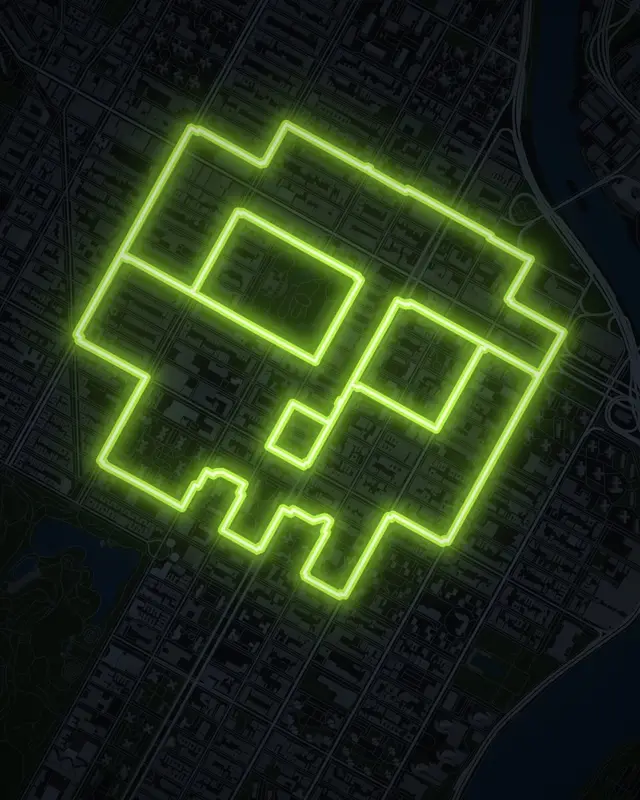
💀 Skull, New York (11.0 km)
A skull across Harlem, from 112th to 128th Street, with two eyes, a nose and a row of teeth. Manhattan's grid is tilted, so the skull is too.
All five are also in the GPS Art Directory.
Put one on your streets
- Open the shape you like and hit Clone Sketch (you need to be logged in).
- Zoom to your neighborhood, open Select Draw Mode and pick Snapping. The shape lands on your streets.
- Move, resize or turn it with the handles until the snapped line looks right, then save.
- Hit Download and send the GPX to your watch. Here's how to do it on a Garmin.
Live near one of the originals? Skip the clone: open it, hit Download, and run it as it is.
Or write BOO!
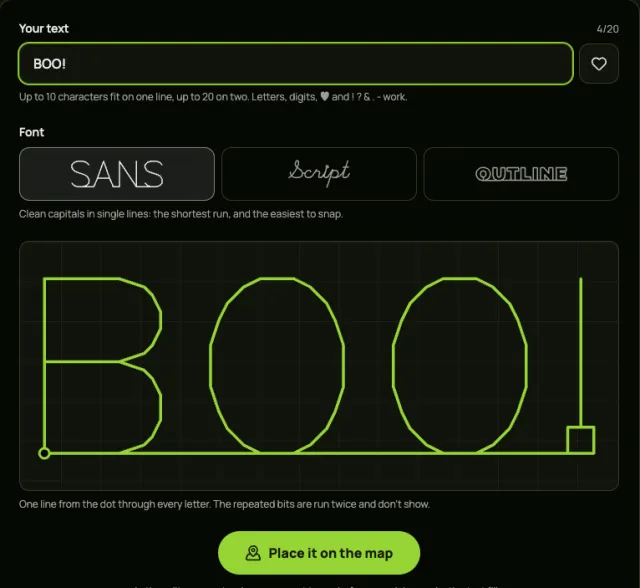
Shapes not your thing? Open Text to Sketch, type BOO! and you get one continuous line that writes it. Go big: letters need a whole neighborhood to land cleanly on streets. More tips in the Text to Sketch guide.
Tips for a clean Halloween run
- Pick a grid. Straight streets give straight lines. That's why these five live in Chicago, Denver, Salt Lake City, Barcelona and Manhattan.
- Eyes are out and back. To reach the ghost's eyes or the skull's nose you run a short street in and back out the same way. It disappears in the art.
- Tilted grid, tilted shape. In Barcelona or Manhattan the shape leans with the streets. Turn it to the grid rather than fighting it.
- Mind the trick-or-treaters. On October 31 the sidewalks are full of kids. Run earlier in the day, or wear lights and something reflective.
Tag your run with #HalloweenRun and send us the result. We'd love to see a whole graveyard of skulls. 💀