
Keep the gallery a good place to browse
The GPS Art Directory is full of hearts, animals and wild city-sized doodles, and we want it to stay that way. 🚩 If a public sketch crosses the line, you can now report it right from its card.
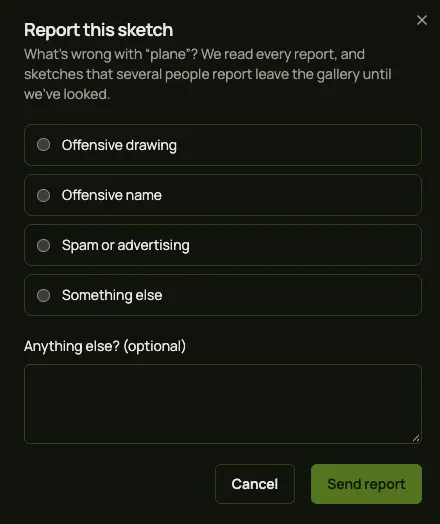
How to report a sketch
- Open the GPS Art Directory and find the sketch.
- Hit the flag in the top right corner of its card.
- Pick a reason: offensive drawing, offensive name, spam, or something else.
- Add a note if it helps, then hit Send report.
You need to be logged in to report, so one person counts once.
What happens next
Every report lands in our inbox and we read them all. If several people report the same sketch, it leaves the gallery on its own until we've had a look. We then either bring it back or take it down.
Reports are anonymous: the creator never sees who reported their sketch.